
01
Free consultation
We talk about your operation, in person in the Bajío region or by video call everywhere else, and identify what to fix first.
An ERP brings purchasing, sales, inventory and other areas together in one system. We build it around the way your company already works, along with customer follow-up and, if you sell over the counter, your point of sale, so your whole team works from the same information. For companies in Guanajuato and across Mexico.
Clients and Nightly projects












The problem
If any of these sound familiar, it’s worth a conversation. The consultation is free.
Sales, purchasing and the warehouse each keep their own file, and nobody sees the same numbers.
Quotes nobody calls back about and leads that go cold.
At closing time, what you collected doesn’t match what you sold or what’s in stock.
Closing the month depends on someone copying sales, purchases and stock from each file into a new sheet.
Your software charges per user, so every new hire, or every warehouse worker who needs access, raises the monthly bill.
You know how much you sell them, but not what’s left after discounts, credit and deliveries.
What’s included
We start with what’s most urgent and add areas in stages, all connected so nobody enters data twice.
Purchase orders, customer orders and stock, connected by warehouse or location.
Keep contacts, note what each customer needs and get reminders of who to call or send a proposal to.
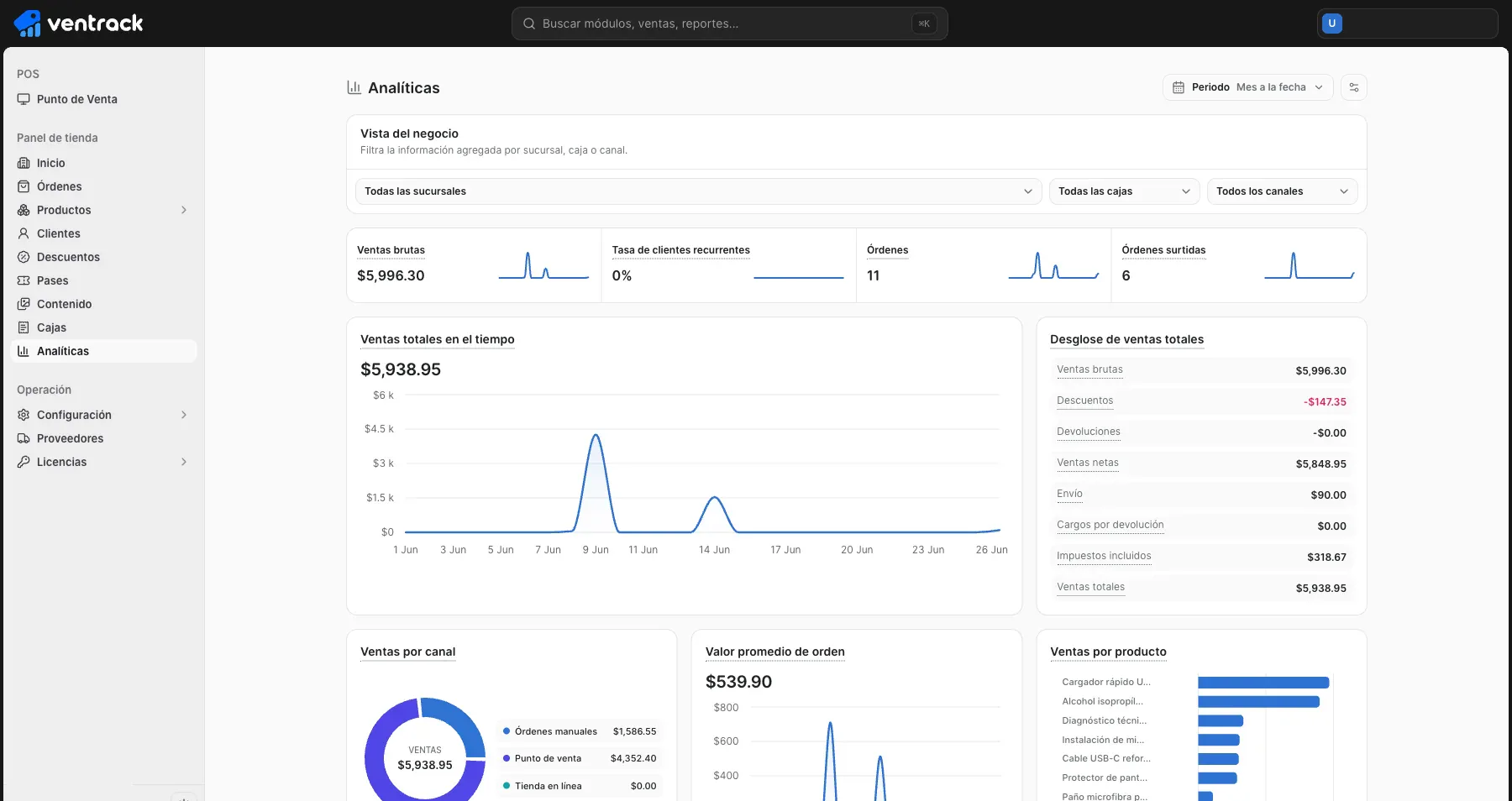
Log every sale, total each purchase and keep track of payments and the register. With Ventrack, you keep selling even if the internet goes down.
We connect your sales to your electronic invoicing (CFDI, the invoice format required by Mexico’s SAT) when your invoicing system allows it.
Sales, purchasing and stock in real time during connected operation, according to the agreed sync process. Reports in Excel or PDF.
Each person sees only what they need, with a log of every change.
In detail
Entering the same order twice does not always justify replacing the entire system. Identify what fails first.
| Your situation | What to evaluate | What to test before deciding |
|---|---|---|
| Purchasing, sales and accounting follow standard processes | Configure a commercial ERP before building another one | Run a real order, a return and a closing with your accountant. |
| Accounting works, but production or B2B orders stay in spreadsheets | A custom module connected to your ERP | What your version can read and write, and what happens if the connection fails. |
| Your pricing, approval or production rules do not fit the current system | A custom ERP delivered in stages | One complete workflow with your rules, users and data. |
Bring an order, a purchase, a return and the report you currently build by hand to the consultation. Note which system each department uses, its version and who approves each movement. That lets us distinguish an integration from a replacement and quote specific work. If you are still comparing options, use the commercial ERP or custom software guide and the 3-year cost calculator.
If your ERP already handles accounting and you need to connect a portal, orders or inventory, follow the guide to connecting your ERP without replacing it. It explains how to decide which system controls each field, verify permitted access and recover a send whose result is uncertain.
In detail
A custom ERP is a single system, built around your process, where every area works from the same data. It isn’t built all at once: you start with the module you need most and add the rest in stages, each with its price in writing.
| Module | What it solves | Related public case |
|---|---|---|
| Sales and quotes | A quote turns into an order without retyping it, and each one is tracked until it’s won or lost. | Translate3D: tracking of every quote and every order |
| Purchasing and suppliers | Numbered requisitions and purchase orders; supplier deliveries are received against their order and added to stock. | Ventrack, our point of sale: receiving and suppliers |
| Inventory by warehouse or branch | Stock, items in and out, and transfers as they happen, with each product’s history. | Polymer for Sumiplas: raw materials, consumables and finished goods, up to date |
| Production | Numbered orders, the staff working on each one and its progress, without walking the floor to ask. | Polymer for Sumiplas: production orders, staff and efficiency by machine |
| Customers (CRM) | Contacts, what each customer ordered and who’s due for a call or a proposal. | Sumiplas: each customer’s requisitions connected to production |
| Balances and collections | Each customer’s balance up to date, with every payment logged and who received it. | CelMex: internal credit with an auditable history |
| Customer portal | Your customers log in to see orders, balances and documents, without calling you. | TramitesLegalesMX: each customer’s balance, orders and history; CelMex: every order’s status in real time |
| Invoicing (CFDI) | Your sales go to your invoicing system, or to a SAT-authorized provider that stamps invoices (a PAC), without being entered again, when your system allows it. | Executive Engineers: automated invoicing within the work system; the case does not specify CFDI stamping |
| Reports in Excel or PDF | Sales, purchasing, stock and collections by branch or by area, ready for management and your accountant. | Polymer for Sumiplas: reports and printouts in Excel or PDF |
In detail
In detail
A good-looking screen does not prove that sales and the warehouse share the same data. Test the complete workflow.
These are examples of tests to agree on in the proposal for the scope you buy. The scope, migrated data, integrations and criteria for accepting each delivery should be written down. Prepare your review with 10 questions before hiring a software company and the scope worksheet.
If that stage includes a connection, use the ERP integration test CSV and instructions: invented cases E01–E06 cover retries, uncertain results, partial quantities, permissions and concurrent changes. They do not demonstrate an existing connector for your ERP; they help agree what must pass before accepting the connection.
Pricing
Starting-price references. The exact price comes in writing within 1 business day of the free consultation, and you pay in stages, not for the whole system up front.
See all pricingWork out the 3-year cost against subscription software
Custom development
These rights apply to the code we develop specifically for your custom project.
The source code we develop specifically for your company belongs to you, just like your data. Your custom software has no user limit or per-user charge from Nightly. Each person signs in with their own permissions.
Development is paid in stages. Hosting, maintenance, support and third-party services are agreed separately in the proposal.
Code delivery is part of the project. The proposal defines how it is delivered and which documentation and access are included. Nightly products and third-party components and platforms retain their own licences and terms. See delivery terms.
How we work
No commitment and no jargon. You get a written proposal within 1 business day of the consultation.
01
We talk about your operation, in person in the Bajío region or by video call everywhere else, and identify what to fix first.
02
You get a written proposal within 1 business day of the consultation, with the scope, price and timeline split into stages.
03
We build in stages, you review progress at every delivery and we keep improving the system with you.
Projects
We don’t publish these clients’ names.

Executive Engineers

Sumiplas

CelMex Unlockers
 Nightly product
Ventrack

Legislative Office
In writing
That’s what our terms say · How we work
We fix, at no cost, anything that doesn’t work as agreed and that you report within 60 calendar days of each delivery.
You can ask us for a full export at any time, including when the project ends.
We use what you share about your business only for your project and, if you need it, we sign a confidentiality agreement before we start.
If you ask for something outside the proposal, we first tell you in writing how it changes the price and dates, and we only do it if you approve.
When each stage arrives, you review it and tell us anything that doesn’t match what we agreed. We fix that at no cost.
Let us know in writing and you pay only for the work done up to that day.
What business owners ask us before getting started.
An off-the-shelf ERP comes ready-made: you pay for licenses or subscriptions, often per user per month, configure it, and your team adapts to how it works. It makes sense if your processes are standard for your industry and you need full accounting from day one. A custom ERP is built around your process and includes only what your team uses: you pay for development in stages, then for the hosting and maintenance you agree on, with no user limit or per-user charge from Nightly. You can also combine the two, and in the consultation we’ll tell you honestly what makes sense for you. We compare them in depth in ERP vs. custom software. If you’re weighing it against Odoo, see Odoo or custom software.
It’s a system where purchasing, sales, inventory, customers and other areas share the same information, instead of each one keeping its own file. When sales enters an order, the warehouse already sees it and management already counts it in its reports. A custom ERP is built around the way your company already works, instead of asking your team to adapt to a program. If you’re torn between an off-the-shelf ERP and a custom one, read off-the-shelf ERP or custom software.
It depends on the scope. A single module, such as customer follow-up, can start from about $5,000 MXN; a larger project from about $25,000 MXN; and a complete system with several connected areas from about $45,000 MXN, paid in stages. Adjustments and support start at $600 MXN per hour. You get the exact price in writing within 1 business day of the free consultation. To compare it with an off-the-shelf ERP, look at the cost of each option over three to five years with your real number of users.
Yes. We’re from Irapuato, and we visit your company in person in Irapuato, León, Celaya, Salamanca, Silao, Querétaro and Aguascalientes to understand your operation before proposing anything. We’ve already built, for example, the ERP and inventory system for a footwear manufacturer in León, and the inventory, CRM and ERP for a company in the Bajío region that sells industrial pressure washers; we don’t publish those clients’ names. Prices are the same in every city: a module can start from about $5,000 MXN and a complete ERP from about $45,000 MXN, paid in stages. If you’re elsewhere in Mexico, the consultation and reviews happen by video call. See how we work in León and Irapuato.
A small adjustment may take hours and a tightly scoped module may take about a week, once we have the necessary data and decisions. That is not the timeline for an entire ERP. Migration, integrations, testing and training are planned by stage, each with its date written in the proposal.
The source code we develop specifically for your company belongs to you, just like your data. Your custom software has no user limit or per-user charge from Nightly. Each person signs in with their own permissions. Development is paid in stages. Hosting, maintenance, support and third-party services are agreed separately in the proposal. The proposal defines code delivery; you can request a data export, including when the service ends. Review our terms and include recurring costs when comparing with off-the-shelf ERP.
Yes, when your system allows it. You can keep issuing your invoices (CFDI) with the system you already use and connect it to your ERP so sales and orders aren’t entered twice. Each program connects differently: Bind offers a connection for other systems (an API), CONTPAQi documents how to connect Comercial Premium, and Aspel SAE imports catalogs, orders and documents from Excel, XML or TXT files. In the consultation we check what your version allows.
Nobody starts from scratch. We move your products, customers, suppliers and opening stock into the system from your Excel files or from whatever your current program exports, and we check with you that the numbers add up before going live. If you invoice and keep your books in CONTPAQi or Aspel, you can stay there: the ERP runs the operation and connects to them within what your version allows, which we check before quoting. Your accountant keeps working as usual.
Yes. Each branch or warehouse keeps its own stock, purchases and sales. Transfers between them get a reference number and the receiving location confirms them, so you know if anything went missing on the way. Each person sees their own branch, and management sees the total according to the agreed sync process, with reports by branch in Excel or PDF. If a stage includes offline capture, we agree how to show and reconcile its pending movements when the connection returns.
Yes, if you sell over the counter. The ERP can connect to a register so every sale deducts stock and shows up in your daily reports, without entering anything twice. Our retail software page explains how Ventrack works, our point of sale that keeps ringing up sales even when the internet goes down.
Your information is always yours, and you can ask for a full export at any time. You can end the project whenever you want, paying for the work done up to that point. And we fix for free any defects you report within 60 calendar days of each delivery.
We’ll tell you what to fix first and what it would cost. We reply the same business day.